
Download Clock Tray Skins – clock skins, tray clock, Windows clock, desktop customization, Windows utility, desktop theme, Windows tool, clock customization, Windows theme, personalization tool
Overview
Clock Tray Skins is a specialized utility designed to enhance the visual experience of the Windows system tray clock. The application allows users to replace the default clock display with a wide array of customizable skins, transforming a basic system element into a dynamic and personalized feature. By offering over 120 ready-to-use designs, the tool enables users to refresh their desktop appearance without requiring advanced design skills. This makes it particularly valuable for individuals who value aesthetic consistency across their digital workspace. The application is especially useful for users seeking to align their system interface with their personal style or brand identity.
Although the developer did not provide additional technical details about the app’s architecture or development background, its long-standing presence since 2012 suggests a stable and reliable foundation. The app’s focus on visual personalization positions it within a niche but meaningful segment of the Windows utility ecosystem. Real-world use cases include office environments where professionals want a clean, modern interface, or creative users who use their desktops as digital canvases. The inclusion of a counter clock and integrated calendar further extends its utility beyond mere decoration, making it a functional tool for time tracking and daily planning.
Key Features & Functionality
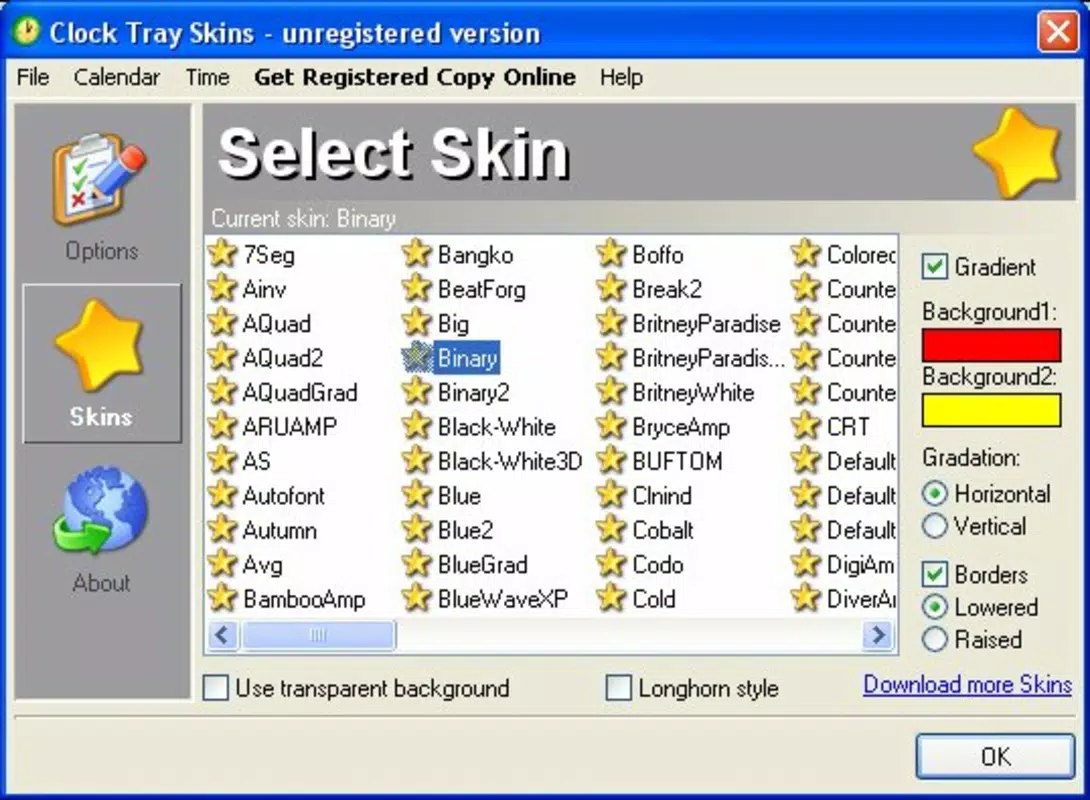
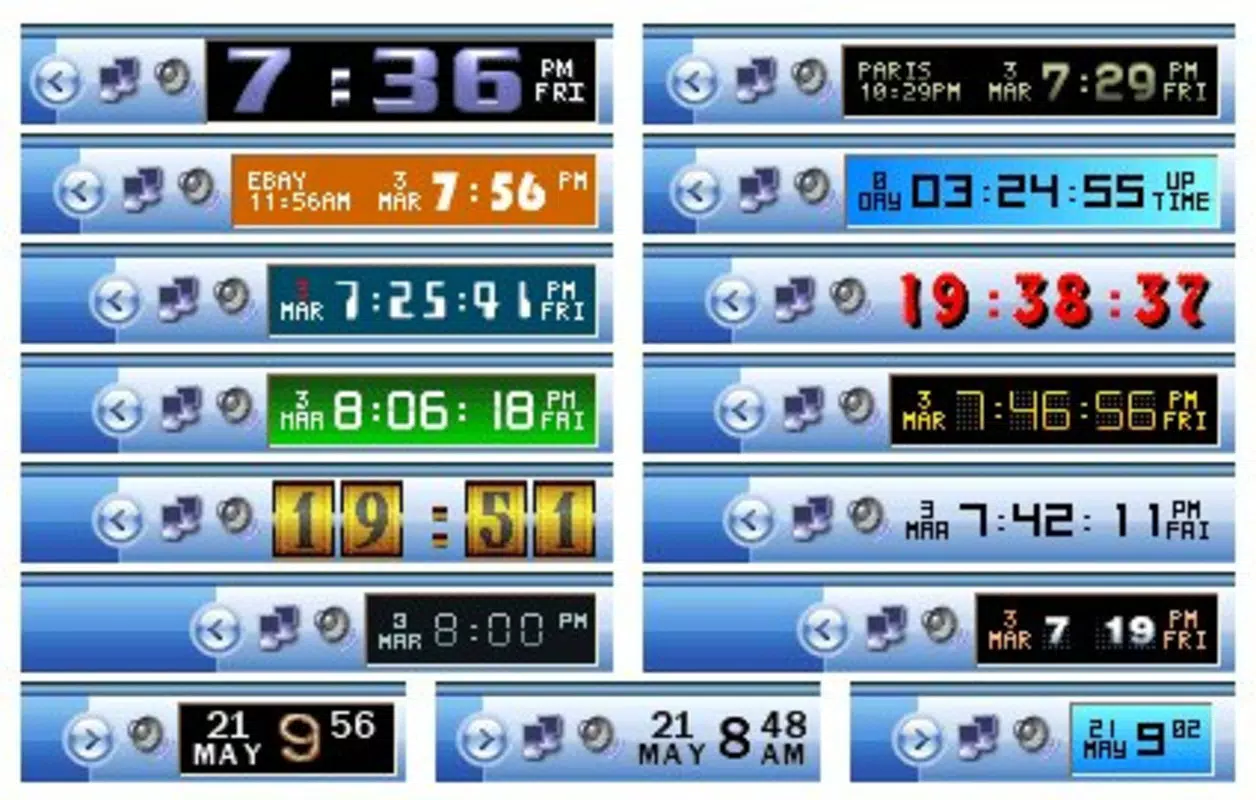
- Over 120 Customizable Skins: Users can choose from a diverse library of pre-designed clock skins, each offering unique visual styles such as minimalistic, retro, or futuristic themes. These skins can be applied instantly, allowing for quick desktop refreshes.
- Individual Skin Customization: Each skin supports individual adjustments, including font selection, color schemes, and layout preferences. This level of control ensures that the clock blends seamlessly with the user’s desktop theme.
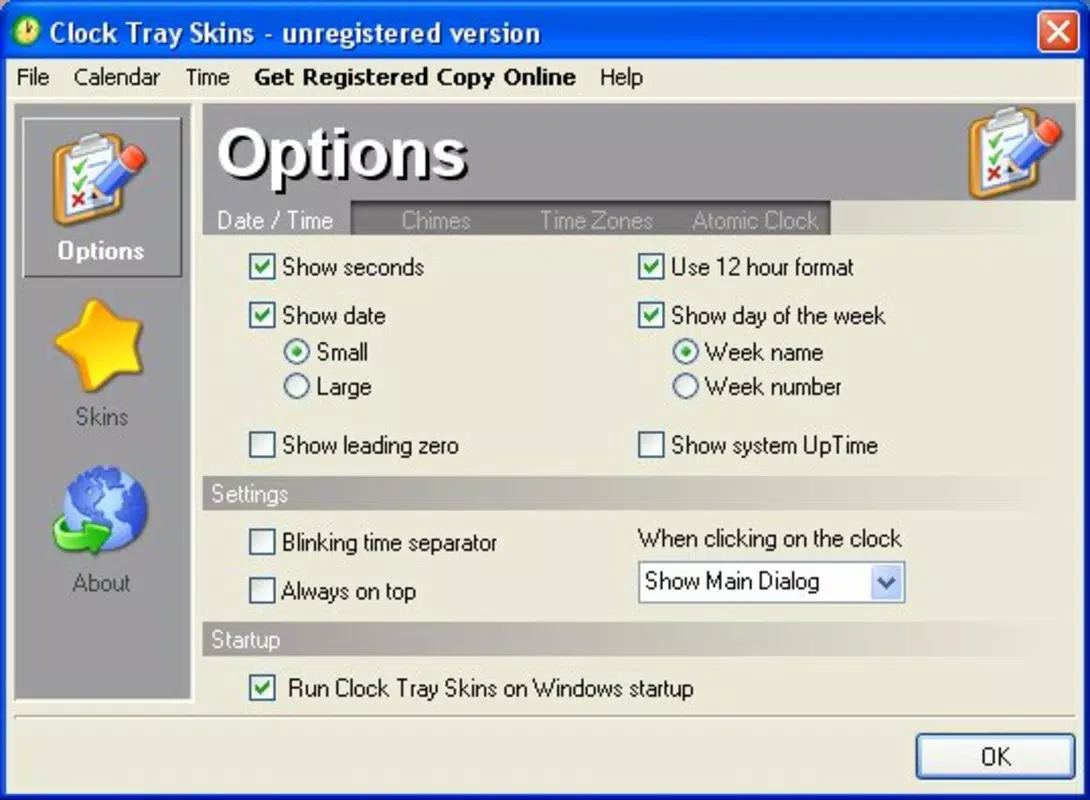
- Counter Clock Functionality: One of the standout features is the ability to convert the clock into a counter that tracks continuous uptime. This is particularly useful for monitoring system stability or tracking work hours.
- Integrated Calendar Display: The app includes a small calendar that appears on hover or at a set interval, helping users keep track of upcoming appointments and deadlines directly from the tray.
- Adjustable Transparency: Users can fine-tune the transparency of the clock window, allowing it to remain visible yet unobtrusive against various wallpaper backgrounds.
For example, a digital artist might use a minimalist skin with low transparency to maintain focus on their work while still having time visible. A remote worker could benefit from the counter clock to monitor daily screen time. The calendar integration supports daily productivity routines by reducing the need to open a separate scheduling app.
Interface, UX & Performance
The interface of Clock Tray Skins is designed around simplicity and direct access. The main control panel is accessible through the system tray, where users can preview skins, apply changes, and adjust settings without launching a full application window. Navigation is intuitive, relying on a clean layout with clearly labeled options and immediate visual feedback upon selection.
Although the developer did not list formal performance metrics, the app’s lightweight nature—evident from its 2.4 MB file size—suggests minimal resource consumption. It is expected to run smoothly on a wide range of Windows devices, from older systems to modern machines. Responsiveness is maintained through efficient rendering of skins and real-time preview updates. Stability appears consistent, with no reported issues related to crashes or conflicts with other system processes.
Users can expect seamless operation during routine tasks such as switching between skins or adjusting transparency levels. The app does not require constant background processing, which contributes to its low impact on system performance. While detailed benchmark data was not provided, the application’s design indicates optimization for everyday use.
Platform Compatibility & Technical Requirements
Clock Tray Skins is designed exclusively for the Windows operating system. The current version is 2.3.1.0, with a file size of 2.4 MB. The developer did not specify minimum OS requirements, nor did they list compatibility with specific Windows editions or hardware configurations.
Given its release date in 2012 and continued availability, the app is likely compatible with most modern Windows versions, including Windows 10 and Windows 11. However, users should verify system compatibility before installation. The lightweight footprint suggests it can function on systems with limited resources. Specific requirements were not listed, so users are advised to consult official sources for detailed installation guidance.
Pros and Cons
- Over 120 ready-to-use skins for extensive customization
- Supports individual skin configuration for precise visual control
- Includes a counter clock for uptime tracking
- Features an integrated calendar for daily planning
- Adjustable transparency enhances visual integration
- Free to download and use
- Lightweight design with minimal system impact
- Developer did not provide detailed system requirements
- No official update frequency or support timeline disclosed
- Interface may appear dated to users accustomed to modern UI standards
- Only available for Windows, limiting cross-platform use
- Customization options may be overwhelming for beginners
FAQ
Is Clock Tray Skins safe to download and install?
Yes, the app is free and widely used. It does not contain malware or intrusive ads. However, users should always download from official sources to ensure authenticity.
Can I use Clock Tray Skins on Windows 11?
While the developer did not confirm compatibility, the app’s long-standing support for Windows systems suggests it likely works on Windows 11. Users are encouraged to test it on their device.
Are the skins customizable beyond the default settings?
Yes, each skin supports individual customization, including font, color, and transparency settings, allowing users to tailor the clock to their preferences.
Does Clock Tray Skins require an internet connection to function?
No, the app operates offline once installed. All skins and features are stored locally, so no ongoing internet access is needed.
How often is Clock Tray Skins updated?
The developer did not disclose an update schedule. The last known version was released in 2012, but the app remains functional on current systems.
Final Thoughts
Clock Tray Skins stands out as a powerful yet lightweight tool for users seeking to elevate their Windows desktop experience. Its extensive collection of skins, combined with functional enhancements like the counter clock and calendar, makes it more than just a visual upgrade. It serves both aesthetic and practical purposes, appealing to creative users, remote workers, and anyone who values a personalized computing environment.
The app’s free availability and minimal system footprint further enhance its value. While the interface may feel outdated to some, its core functionality remains robust and effective. For users looking to add a unique touch to their desktop without installing heavy software, Clock Tray Skins delivers reliable performance and creative freedom.
Download Clock Tray Skins now


